
Google Street View Trusted has closed. What now for your business?
By Charles Mansfield-Osborne ·
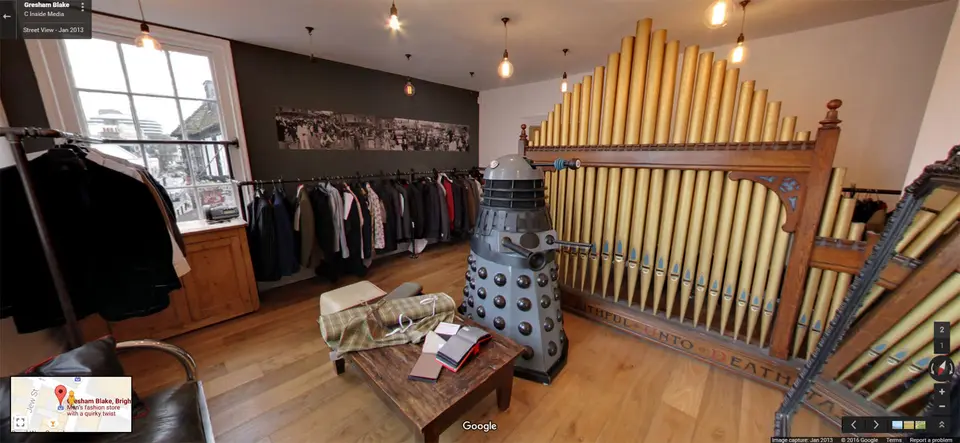
For years, the easiest way to get a tour of your business onto Google Maps was to hire a “Google Street View Trusted” photographer. We were one, and many of the tours we shot for local businesses from 2016 onwards were published that way. On 31 December 2024 Google closed the programme. If you are searching for a Google Trusted photographer now, this is what you need to know.
What Google switched off
Google retired the parts of the programme that were about photographers, not photos:
- the Trusted badge and the right to market yourself as “Google Trusted”
- the directory of photographers for hire on the Street View website
- dedicated support for Trusted contributors and their marketing materials
Earlier, Google had also retired its original Street View mobile app, and publishing 360° imagery moved to other tools.
What still works
The important part for business owners: Google said existing and future 360° tours, both single photo spheres and connected tours, continue to work on Google Maps. Tours published years ago are still there, and new 360° imagery can still be added to Maps and to your Business Profile.
So the badge has gone, but the benefit hasn’t. Customers can still look inside your business from Google Search and Maps.
Watch out for “Google Trusted” sales pitches
Because there is no longer a Trusted programme, nobody can honestly sell you a “Google Trusted virtual tour” or promise one comes with Google’s approval. Nobody can guarantee exactly how Google will display your imagery either, such as a “See inside” button or blue connecting lines, because Google decides that. A reputable photographer will publish to Google’s standards and tell you plainly what Google controls.
How to get a 360° tour on Google Maps now
- Have your premises photographed in 360°. Bracketed HDR panoramas look far better than phone photo spheres, especially in rooms with bright windows.
- Publish the scenes to Google Maps, positioned correctly and linked so people can move between them.
- Link them to your Business Profile, so they appear alongside your photos and reviews.
- Put the same tour on your website. This is the part many businesses miss. A branded tour on your own site, with booking buttons, floor plans and video, works harder than the Maps version and you control it completely.
Moved premises?
If your business has moved, Street View may still show your old front door, or none at all. We can capture the approach and entrance to your new premises and publish it, so customers can see where to go.
How we can help
We publish tours to Google Maps as part of our Google Maps 360 service, as an add-on to any tour, and it is included in our Signature and Production tours. See our work or ask us about your premises.